Season-long golf
rivalries with
your buddies.

One league. Any course. Real rounds.

Now on the App Store Take the tour
Scan to download on iPhone

Take a tour

2 min · no account needed

See a season run, start to finish.

How it works

01

Start a rivalry

Challenge a friend head-to-head, or start a league with the whole crew. One invite link, no spreadsheets.

02

Connect your handicap

Link your GHIN or Golf Canada number once. Every round you post to your home club syncs into RIVL automatically.

03

Play your own rounds

You don't have to tee it up together. Handicap-adjusted scoring makes rounds from different courses comparable.

04

Win the season

Weeks add up into standings that run all season. At the end there's a winner, and a full year of bragging rights.

Inside the app

Auto-sync

Handicap stays current

Rounds and index read straight from USGA or Golf Canada. Nothing to enter by hand.

Every Sunday

Weekly leaderboards

Each week resolves on its own and rolls into the season standings.

Receipts

Full match history

Every week, every round, every result — kept for the whole season.

Streaks

Rivalry streaks

Win three weeks straight and your rival will hear about it.

Head-to-head

1v1 rivalries

Challenge a rival to a season-long match. Every round you post updates the score — no tee time together required.

Solo goals

Self-challenges

Set your own target — hit a score across a few rounds, or just commit to getting out there. No rival required.

Play your own game

Add a side game to any round — like Stableford or match play scoring — calculated automatically off your official handicap allocation.
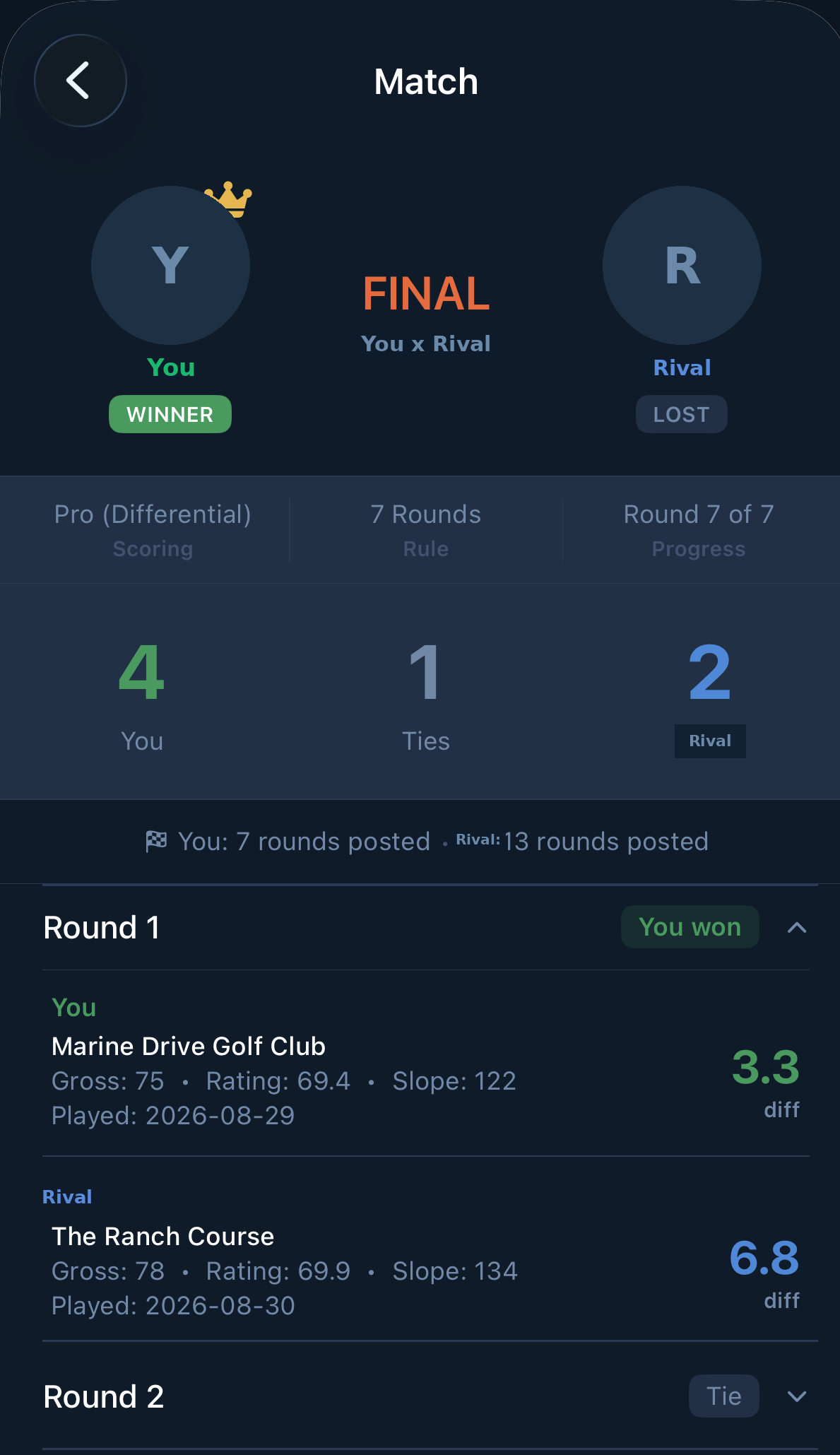
RIVL match view showing a final head-to-head result and round-by-round scores
Match view
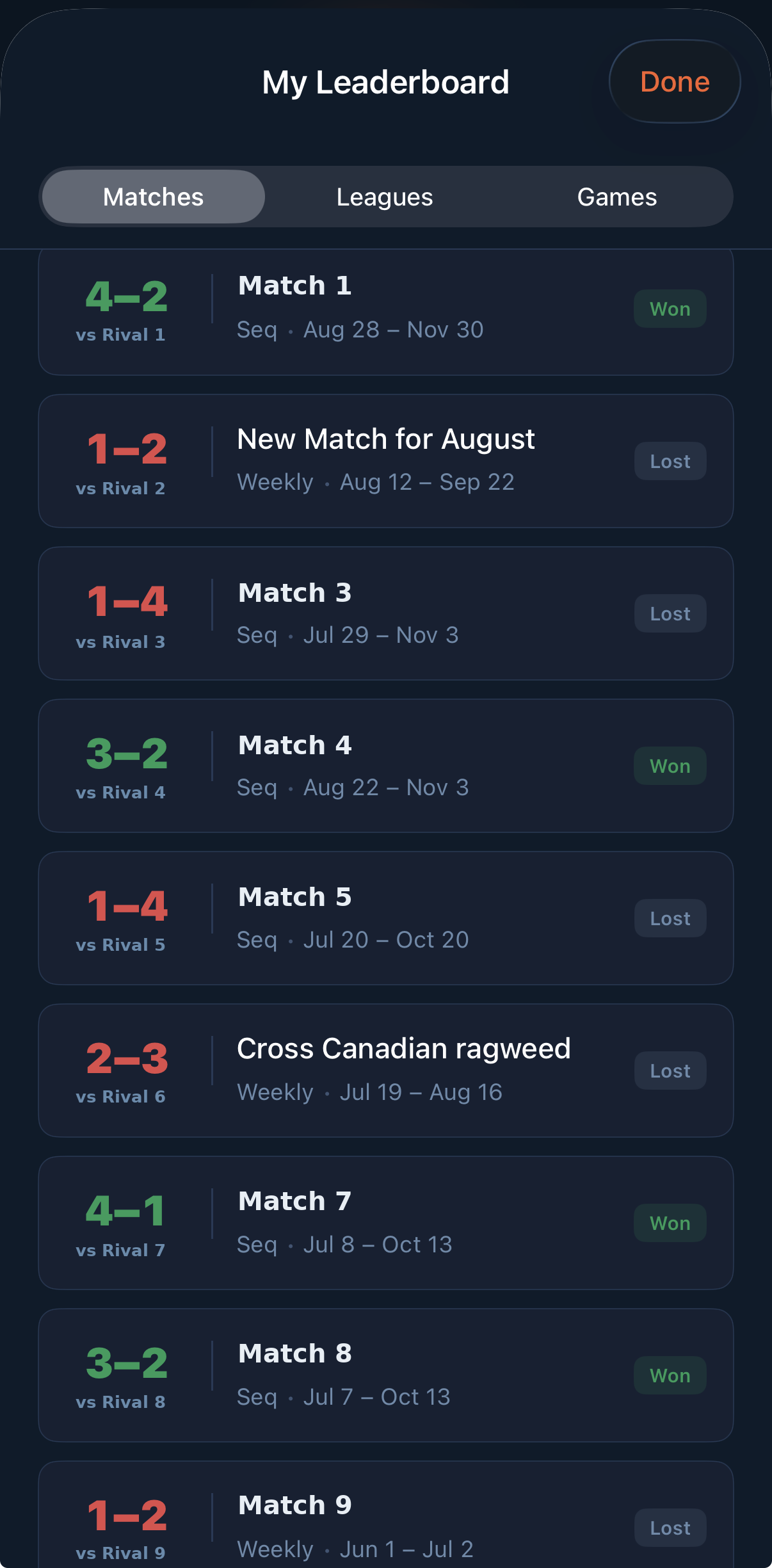
RIVL leaderboard listing season match records against each rival
Season standings
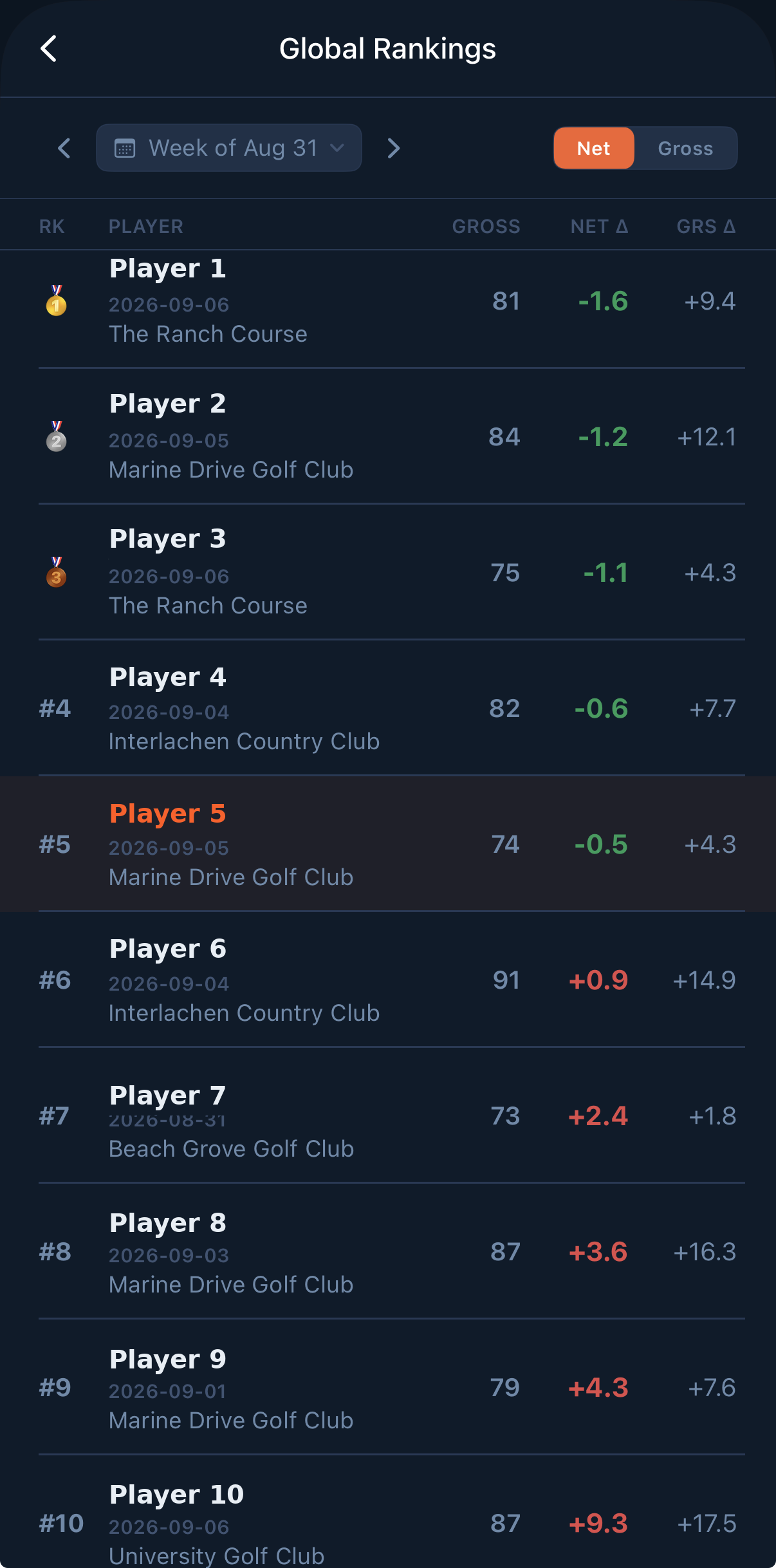
RIVL weekly global rankings table with gross and net scores
Weekly leaderboard

We built RIVL because the group chat was a terrible way to keep score.

Get started

Five minutes from download to your first rivalry.

You'll need your USGA Handicap ID or Golf Canada member number, and the last name on that membership.

  1. Download and create your account

    Grab RIVL from the App Store and sign up. Free to download — no card needed to play your first season.

  2. Tap Connect Handicap

    Enter your handicap ID and last name. RIVL verifies your membership and links the account — one time, then it's done.

    USGA Handicap ID Golf Canada member number
  3. Challenge a rival, or join with a code

    Send an invite link to a friend, or enter a join code under Join a League. Pick the format and the season starts.

  4. Play a round and post it as usual

    Post through your club or handicap app the way you always have. Nothing to enter in RIVL.

  5. Watch it land

    Your round usually shows up in RIVL within about 10 minutes, and the week updates itself. In a hurry? Pull to refresh in My Scores.

Setup video

Free and Premium

Free

Everything you need to start an argument with one friend.

  • Up to 2 active matches
  • Join 1 private league
  • Unlimited rivals and score posting

Premium

For the crew that runs a real season. Monthly or annual in the App Store.

  • Unlimited active matches
  • Create and join unlimited leagues
  • Full season history and stats